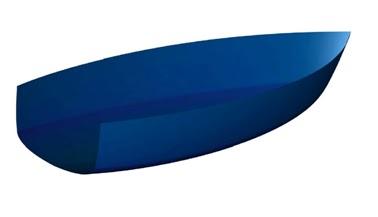
Design #01
Design Simple Hull :
1. New Design
2. Units
: Metres & Tonnes (Default)
3. Add Surface (Default surface)
4. Surface Precision (Medium)
5. Starting Design
: Size Surface
: Length : 25, Beam : 10, Depth : 5
6. Getting the desired shape
: Adding & Deleting control point rows
: Adding & Deleting control point columns
7. Fairing the Design
: Surface Properties
: B-splines, Long. Flex. : 5, Tranv. Flex. : 3
: Manipulate edges
8. Frame of Reference
: DWL : 3 m
9. Zero Point
: Set to Aft Perpendicular & Baseline
10. Grid Spacing
: Section : 11 stations (Evenly along the length of the model)
: add 1 section at the transom
: 3 Waterlines, 2 buttocks and 2 diagonal
11. Set Design Requirements
: Manipulate the control point net in all three views
(can be viewed selected “calculate Hydrostatic”)
12. Parametric Transformation
: Set the required value to 0,65 and constrain the waterline Length, Beam
and draft (Lackenby method)
Exercise #01
# Set the frame of reference so that the zero point is at the aft perpendicular and the baseline
# Define the grid so that you have a number of sections, waterlines and buttocks
¨Section : 11 stations (Evenly along the length of the model)
¨add 1 section at the transom
¨4 Waterlines, 3 buttocks and 2 diagonal
# Use the sample calculations provided to evaluate the volume etc of your design
# Manipulate your design to get a block coefficient (Cb) of approximately 0.65